
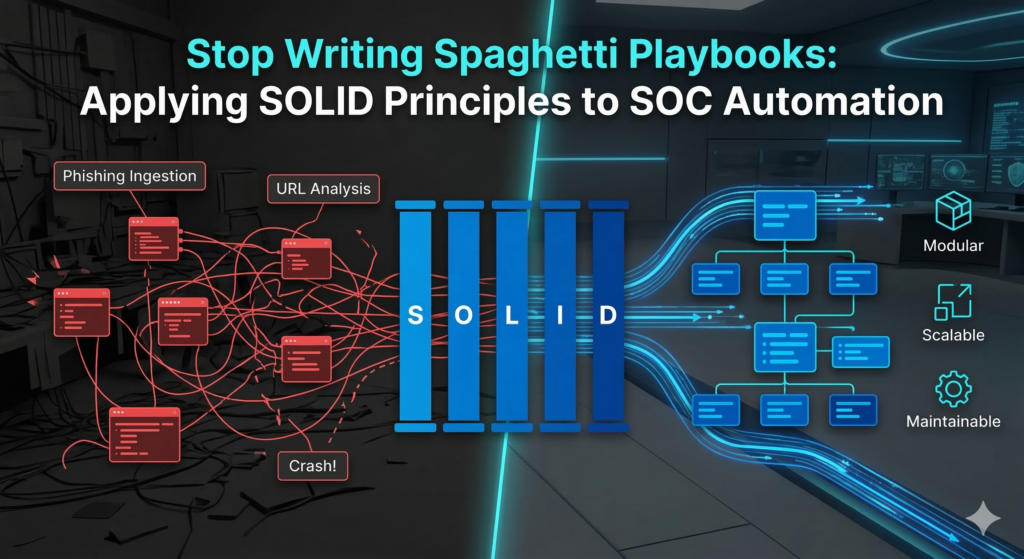
You spent three weeks building the ultimate, all-encompassing SOAR playbook. It handles phishing ingestion, URL analysis, IP reputation, user isolation, and ticket creation. It is a masterpiece.
Then… your Threat Intel vendor updates their API. Suddenly, the entire 50-step playbook crashes, and your SOC is flying blind.
If this sounds familiar, you have fallen into the classic trap of building “spaghetti playbooks.” To build automation that actually scales, SecOps teams need to stop thinking like scripters and start thinking like software engineers. Welcome to Part 3 of my Enterprise SOC Automation series. Today, we are breaking down the Playbook Development Lifecycle and how to build modular, bulletproof automation.
A. Break the Monolith: The 5 Playbook Types
Before you write any logic, you must understand modularity. A single playbook should never handle an entire incident from start to finish. Instead, your SOAR architecture should utilize a parent-child structure comprised of five distinct playbook types:
- Main Playbooks: The orchestrators. These execute automatically immediately after an alert is created. They do not perform the deep analysis themselves; instead, they call upon other playbooks to do the heavy lifting.
- Helper Playbooks: Task-specific workflows that trigger based on the alert type. For example, a “Phishing Helper” playbook might handle email-specific parsing, while a “Malware Helper” handles hash extraction.
- Enrichment Playbooks: These execute when a new indicator (IOC) is extracted. Their sole job is Cyber Threat Intelligence (CTI) analysis—taking an IP, Domain, or Hash and returning a reputation score.
- Checks Playbooks: Investigative playbooks designed to query the alert source or the SIEM. They ask the environment for historical context (e.g., “Has this IP been seen on the firewall in the last 30 days?”).
- Data Rendering Playbooks: Purely focused on the Analyst User Experience (UX). These receive raw JSON data from the other playbooks and format it into clean, readable HTML/Markdown tables directly on the SOAR alert object.
B. The Playbook Development Lifecycle (PDLC)
Building enterprise-grade playbooks requires a strict lifecycle. You cannot simply log into the SOAR and start dragging and dropping nodes.
1. Planning
Never start in the SOAR canvas. Begin by sketching the playbook flow on a whiteboard or a tool like Visio/Draw.io. Design your use case, map out the decision trees, define the trigger conditions, and identify exactly which APIs and credentials you will need.
2. Development (Applying SOLID Principles)
This is where you build the playbook. To prevent “spaghetti code,” your development phase must adhere to the SOLID principles of software engineering, translated for SOAR:
- S – Single Responsibility Principle: A playbook should do one thing. Do not mix data enrichment with firewall blocking. If a playbook fails, you should know exactly what function broke.
- O – Open/Closed Principle: Playbooks should be open for extension but closed for modification. If you want to add a new Threat Intel feed, you shouldn’t have to rewrite your Main Playbook. You simply plug the new feed into your existing Enrichment framework.
- L – Liskov Substitution Principle: Standardize your inputs and outputs. If you swap out VirusTotal for CrowdStrike Falcon Intel, the parent playbook shouldn’t crash. The data format returned to the Main Playbook must remain consistent.
- I – Interface Segregation Principle: Do not force a sub-playbook to process data it doesn’t need. Pass only specific variables (e.g., pass exactly
alert.source_ip), not the entire 1,000-line raw SIEM log. - D – Dependency Inversion Principle: Rely on abstractions, not hardcoded integrations. Use a generic “Block IP” wrapper playbook instead of hardcoding “Block IP on Palo Alto” everywhere. If you change firewall vendors next year, you only have to update one single wrapper playbook.
3. Tuning
Once the core logic is built, you must fine-tune the playbook for your specific operational needs. This involves writing custom Regex to accurately extract indicators, extending the context gathered, and mapping the output to specific custom incident fields in your SOAR to ensure the data is easily searchable.
4. Deploy and Monitor
Never push a new playbook directly to your live SOC.
- Testing Lab: Always use a pre-production environment for testing and validation. Run historical false-positive and true-positive alerts through the playbook to verify the output.
- Production & Monitoring: Once deployed to production, place the playbook in a “monitoring period” (typically 14 to 30 days). During this time, the playbook should run in advisory mode (not taking automated blocking actions) to ensure it doesn’t disrupt business operations.
5. Maintenance
Playbooks are living entities. APIs will change, credentials will expire, and network routes will shift. When a playbook breaks, you must have a standardized troubleshooting procedure. Maintain a centralized Knowledge Base (KB) to track common playbook errors and their corresponding solutions. This ensures that when an automation engineer leaves the company, the knowledge of how to fix the SOAR doesn’t leave with them.
Final Thoughts
Automation is only as good as the engineering behind it. By adopting a strict Playbook Development Lifecycle and adhering to SOLID principles, you transform your SOAR from a fragile web of scripts into a robust, scalable SOC Operating System.

Leave a Reply